One brief. Every lifecycle moment.
Activation, dormant revival, renewal, upsell, churn save. Pick the moment, write a short brief, and every account gets its own video.
TL;DR
What is personalized video for customer success?
Powering revenue teams across your stack






Watch one
What lands the day an account goes quiet
The script names the account, the step it never finished, and the next thing to do.
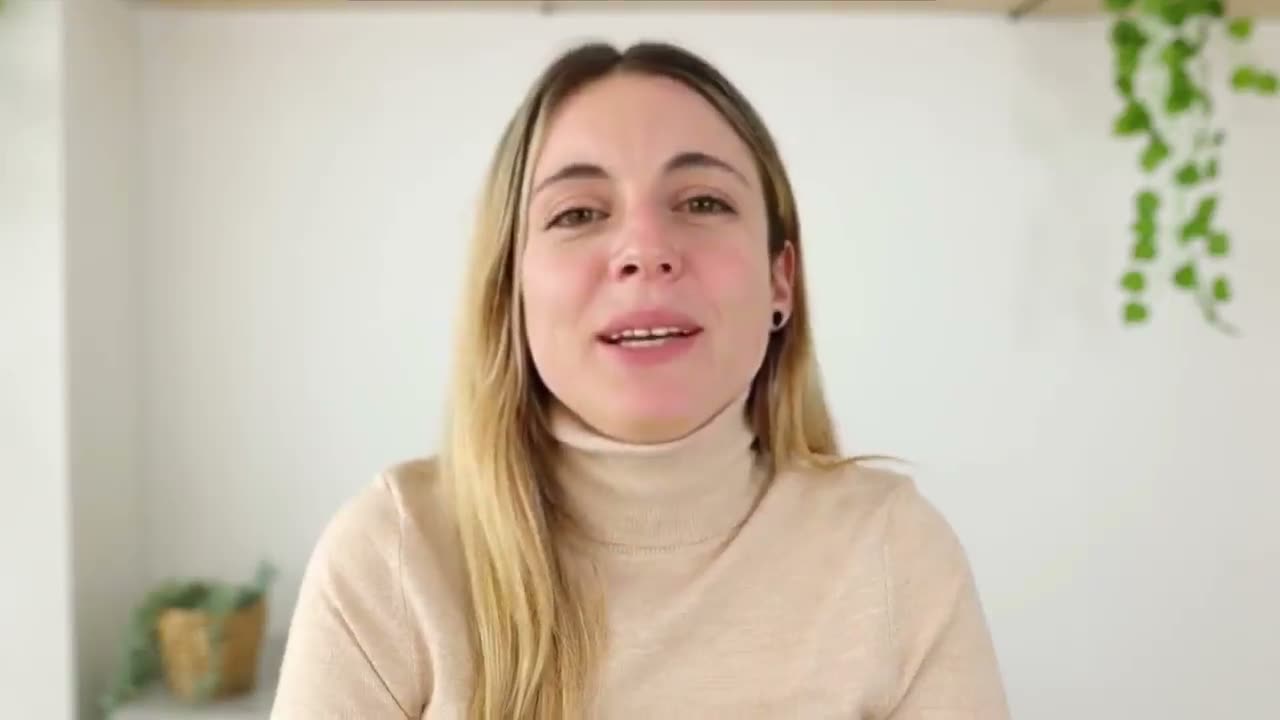
A real Outvid render. One recording behind every version.
How it works
One brief flow, every campaign
Three steps. Record once, and your On-camera Persona does the rest.
Pick the lifecycle moment and write the brief
The AI writes and records everything
Launch and it runs itself
The campaign brief
One brief grounds every message
Every account gets its own research, its own script, and its own email.
Tell the AI about this campaign
Written once — applied to all 850 accounts in onboarding in this campaign.
Hi Dana, saw Brightline got set up but hasn't connected a CRM yet, and that one sync is the moment your pipeline dashboard fills itself. Most people stall on the connect screen thinking they need IT. They don't. Want me to do the 10-minute setup with you?
Hi Tomás, you invited two teammates at Voyage but none have logged in yet, so activation's stalling before it starts. I just shipped one-click CRM import that kills the old field-mapping headache; happy to walk your team through it on a quick screen-share.
Hi Aisha, Northgate's a few days into the trial but the CRM connect screen's API-key prompt looks like it stopped you cold. It's not an IT job, I promise. Reply "doc" for the 3-step async version, or grab 10 minutes and I'll run the sync with you.
The page that guides them to first value
Emailed, the welcome video opens on a page with the exact next steps for their account.
A GIF in the message. Clicking it opens their own page.
The video plays right in the thread.
Arrives as an attachment in the chat.
Lands in their DMs, ready to play.
What's customized:Onboarding steps and resources adapt to the plan they bought and where they are in setup.
Sample prospect data, shown for illustration.
The problem
Why customer churn is a CS execution problem
Most churn comes from customers who never felt guided, not from a bad product.
Onboarding feels impersonal and gets ignored
Churn signals get missed at scale
Renewal conversations start too late
Every stage
Personalized video at every stage of the lifecycle
Day 1, 7, 30
Onboarding
Welcome videos that guide setup, highlight quick wins, and answer the first-month questions.
Day 60–90
Adoption
Check-in videos that name real product usage and surface the features they never touched.
90, 60, 30 days out
Renewal
Renewal videos that summarize the value delivered and make it easy to say yes.
On trigger events
Expansion
Expansion videos that fire when an account hits a usage limit or a new use case.
Record once. Every check-in after that is your face, your voice, and a script for that account.
5
lifecycle moments, one brief flow
1
recording, every account
4
channels a check-in can land on
2 min
to create your AI clone
Per-account context
Every message knows where that account is
Outvid pulls real usage signals from your product data and CRM into every script.
- References specific product usage, milestones, and goals for each account
- Names adoption gaps before they become churn signals
- Surfaces expansion opportunities based on usage patterns
- Customers feel seen, not managed
Build real relationships at scale
Turn adoption into expansion revenue
Early warning for at-risk accounts
Customer success AI clone video FAQ
How one campaign brief keeps personalized video on-message across every lifecycle moment.
Churn-prevention video splits into two categories. Recording tools like Loom, Vidyard, and Bonjoro are good when a CSM wants to send one warm video to a single at-risk account. Outvid is for when the at-risk list is too long to film individually: you record once, pick the lifecycle moment, and it generates a separate personalized video per account from your brief, then branches the follow-up on whether they replied or watched. Pick a recorder for a handful of accounts, and generation once the list runs past what a CSM can film by hand.
Outvid sends onboarding follow-up video automatically. You choose the lifecycle moment, such as user activation or a stalled setup step, and write a short brief covering what the customer has not finished, what it unlocks, and what usually blocks them. Each account then gets its own video and email, delivered over email, LinkedIn, WhatsApp, or Instagram, with follow-ups routed by whether they replied, opened, or went quiet. Bonjoro and Vidyard cover the same moment if you would rather record each message yourself.
You tell it. When you create a campaign, you pick the lifecycle moment (like User activation or Renewal) and write a short structured brief — for activation, that's the step they haven't finished, what it unlocks, what usually blocks them, and the help you're offering. That brief becomes the per-campaign layer of your Context Layer, alongside your owned context (Team Context, CRM, Gmail/Calendar, call notes) and the AI research on each account. Every personalized video script and email is grounded in it, so the output reflects your real offer and goal — not a generic company line.
Yes. Activation, dormant revival, renewal, customer upsell, and churn prevention are all use cases you pick at the start of a campaign. Each one adapts the brief to ask the right questions for that moment, then grounds every video and email in your answers. You don't build a different tool or template for each stage — you pick the moment and fill its brief.
Yes. Your AI clone — delivered through your On-camera Persona — sends every video in your voice and face. You record once. Outvid generates a personalized video for each account that references their specific step, win, or risk based on your campaign brief and the account's context, so every customer feels like a personal check-in.
Yes. The brief is refinable after launch while the campaign strategy stays locked. If you ship a product change — say, a one-click import that removes an old blocker — update the brief and the messaging shifts with it. No resetting the campaign, no re-enrolling accounts.
Through a branching sequence. After the first video sends, each account is routed by how they respond — replied, opened, or no reply. A reply can hand off to your team; no reply after the window sends your follow-up help; an opened-but-quiet account gets the next nudge. It's not a linear blast where everyone gets the same email on the same day.
We don't publish a churn figure. Outvid is early and has no customer corpus to measure one from, so any number here would be invented. What the product does is concrete: every account gets a video in your real face and voice that names the step it hasn't finished, the win it just hit, or the risk in its renewal, and accounts that don't engage surface so your team can act before the renewal date. Run it on your own book of business and judge it there.
Yes. Outvid pulls real signals from your CRM and product context, combined with your campaign brief, so a customer who hit a milestone gets a video celebrating that win and a customer stalling at activation gets a video naming the exact step and offering help. Every message acknowledges where that account actually is.
Retain more customers across every lifecycle moment
Create your AI clone in 2 minutes. Pick the moment, write a short brief, and launch.
Alex Masson
PromotionsQuick question about your pipeline
Hi there, I came across your company and wanted to see if you're open to a quick 15-minute call about how we help teams...

Your Name
Video MessageMade this video for you, Marcus

Hey Marcus, saw Northwind just opened its second site, congrats!
Click to watch your personalized video →