Video outreach passive candidates actually watch
Tell Outvid about the role once: title, skills, comp, why join. Every candidate gets a video tied to what they shipped.
Powering revenue teams across your stack







Watch one
What a passive candidate opens
Your face, your voice, and a first line about work they actually shipped.
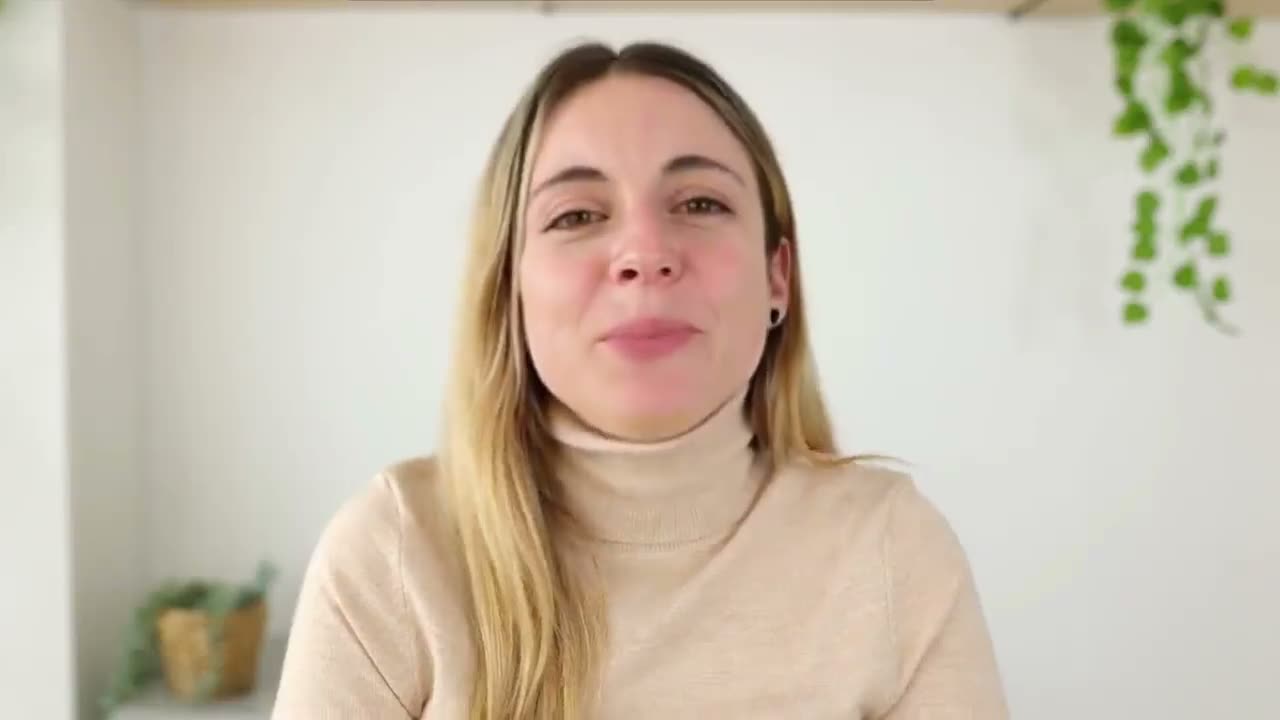
Priya, I saw you led the realtime sync rewrite last month.
One role brief. Every candidate video on-message.
Every candidate gets their own research, their own script, and their own email.
Tell the AI about this campaign
Written once — applied to all 1,100 candidates in this campaign.
Hi Daniel, the event-driven platform you've owned at Tessellate for three years (plus that Go streaming library you maintain) is exactly the depth this role needs. We're hiring a Senior Backend Engineer to own a payments rebuild end to end, Series B, fully remote. Worth 15 minutes?
Hi Mei, your KubeCon talk on scaling Go services on Kubernetes was the kind of work this role is built around. After five years at Halcyon it might be time for a bigger surface: a Series B platform team owning the payments rebuild, fully remote, $180k-$220k + equity. Open to a quick chat?
Hi Aisha, leading Verdant's events-pipeline rewrite on Go and Kubernetes is precisely the scale we're hiring for. This is a Senior Backend Engineer role owning a payments rebuild end to end on a 40-person Series B team, two-round loop, no take-home. Worth 15 minutes to compare notes?
Candidate landing page
The page candidates open to see the role
The title, comp, must-have skills, and why-join, pulled straight from your brief.
A GIF in the message. Clicking it opens their own page.
The video plays right in the thread.
Arrives as an attachment in the chat.
Lands in their DMs, ready to play.
What's customized:The role card is built from your campaign brief: title, comp, must-have skills, why-join, plus an apply button and the full job description.
Sample prospect data, shown for illustration.
How it works
How to run recruiter outreach
Three steps. Record once, and your On-camera Persona does the rest.
Pick Recruiter outreach and write the brief
The AI writes and records everything
Launch and it runs itself
The problem
Why top candidates aren't replying
The bar for getting a reply has never been higher.
Passive candidates ignore generic InMails
Your outreach looks the same as everyone else's
Personalizing at scale is impossible manually
What you get
What one role brief covers
One recording behind every candidate touch, on four channels.
Sit down once. Every candidate after that hears your voice and a script written for them.
1
recording, every candidate
∞
personalized versions
4
channels a candidate touch can land on
2 min
to create your AI clone
Example hooks
Recruiter scripts for four common scenarios
Swap the variables for your ATS data and ship.
Sourcing a senior engineer
“Hey {{first_name}}, you've led infrastructure at {{company}} for three years. I have a Series B fintech client looking for exactly that distributed-systems depth. Recorded you 45 seconds on why it's worth 15 minutes.”
Executive search cold outreach
“{{first_name}}, I'll be direct: my client is replacing their Head of Product after a pivot to enterprise, and taking {{former_company}} from {{stage_a}} to {{stage_b}} is the closest match we've found. Thirty seconds on the role, then no follow-up if it's not interesting.”
Agency BD to a hiring manager
“Hi {{first_name}}, {{company}} just posted {{role_count}} open engineering roles after your Series C. The bottleneck at that stage is usually senior backend sourcing. Recorded 60 seconds on how we solve it for teams your size.”
Re-engaging a silver-medal candidate
“{{first_name}}, we talked in {{previous_month}} about the {{previous_role}} role that went to someone else. Something changed this week: {{specific_change}}. Worth 30 seconds rather than another 'checking in' email.”
Why it lands
Messages that make candidates feel sought-after
Outvid reads each candidate's background and writes a script about why this role fits where their career is heading.
- You write the role once, and every candidate's video and email is built from it.
- AI research ties your must-have skills to what each candidate has actually shipped.
- Comp is cited only if you fill it in, and the AI never invents numbers.
- A 45-second video in your face and voice is a different medium from an InMail.
- Comp bumps, a new must-have: edit the brief and the next sends reflect it.
Prioritize your most-engaged candidates
Works for any role at any level
Exports cleanly into your ATS workflow
Recruiter FAQ
Honest answers to the questions recruiting and staffing teams ask before piloting video outreach.
From your campaign brief. When you set up a recruiting campaign, you write a short brief — the role title, must-have skills, comp and perks, and the honest why-join. That brief is the per-campaign layer of your Context Layer, and it grounds every video script and email in the campaign. Combined with AI research on each candidate's background, the output reflects your real role and your real pitch — not a generic company line. The role title appears verbatim, comp is cited only if you fill it in, and the AI never invents numbers.
We don't publish a response-rate figure. Outvid is early and has no recruiting send corpus to measure one from, so any multiple here would be invented. What we can describe is what changes. InMails have conditioned passive candidates to skim and delete, and a template is what they are skimming. Outvid sends a short video in your real face and voice that ties your role's must-have skills to what that candidate has actually shipped. Run it against your own InMail baseline and judge it on your numbers, not ours.
Not when the On-camera Persona is built from your own recording. Candidates see you, hear your voice, and get a message that references their specific background and your real role brief — the reaction is almost universally positive surprise. The personalization signals effort, which is exactly what passive candidates respond to. Outvid is transparent that your likeness powers the video; we don't hide it.
Yes. You can refine the brief after launch while the campaign keeps running. If comp changes or the hiring manager adds a must-have skill, update the brief mid-flight and new sends pick it up immediately. Your in-flight candidates and the recruiting strategy stay intact — you're just sharpening the details.
Outvid exports personalized video links via CSV for use in Greenhouse, Lever, Workable, Ashby, or any ATS that accepts file uploads. You don't need a native integration — drop the CSV into your ATS import flow and candidate records get the personalized video URL attached. For teams using HubSpot or Salesforce as their candidate CRM, Outvid has native OAuth sync, which also feeds context back into your campaigns.
Video outreach operates through your standard email and messaging channels — the same lawful-basis obligations that apply to your existing recruiter outreach apply here. You control which candidates enter a campaign, and Outvid stores only the data you provide. For EU candidate sourcing, ensure you have documented lawful basis (typically legitimate interest for B2B recruiting) before campaigns launch.
Yes. Agency recruiters use it for contract and perm volume where speed and scale matter — one On-camera Persona, hundreds of personalized candidate touches, all grounded in the same role brief. Executive search firms use it for the opposite: low-volume, high-seniority outreach where a personalized video is often the only way to get a response from a VP or C-level candidate who ignores text outreach entirely.
Fill roles faster with video that's actually on-brief
Write your role brief once, and your On-camera Persona sends a personalized video to every candidate.
Alex Masson
PromotionsQuick question about your pipeline
Hi there, I came across your company and wanted to see if you're open to a quick 15-minute call about how we help teams...

Your Name
Video MessageMade this video for you, Marcus

Hey Marcus, saw Northwind just opened its second site, congrats!
Click to watch your personalized video →